Updating ESXi hosts via ESXCLI is one of the most efficient ways to maintain a secure and stable VMware environment.
Table of Contents
Prerequisites Before Updating ESXi Hosts
Before jumping into the update process, ensure you have the following in place:
- Stable Internet Connection
- Basic Linux Terminal Knowledge
- Patience – Some updates take time!
⚡ Also, always verify hardware and software compatibility from VMware’s Interop Matrix before proceeding.
Download the ESXi Update Bundle
- Go to the VMware Customer Connect portal.
- Download the offline bundle ZIP file (note: ISO files won’t work for CLI-based updates).
- Upload the ZIP file to a datastore accessible to your ESXi host.
Access Your ESXi Host via CLI
- Log in to your ESXi host using SSH or local command line.
Run the following command to list available image profiles:
esxcli software sources profile list -d <Image Path>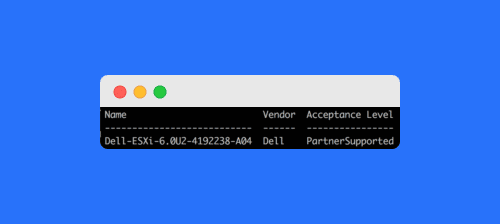
Update ESXi Host with ESXCLI
To update ESXi using the offline bundle, run:
esxcli software profile update -d <full_path_to_offline_bundle> -p <Image Profile>For applying patches instead of a full update:
esxcli software vib update -d <full_path_to_offline_bundle>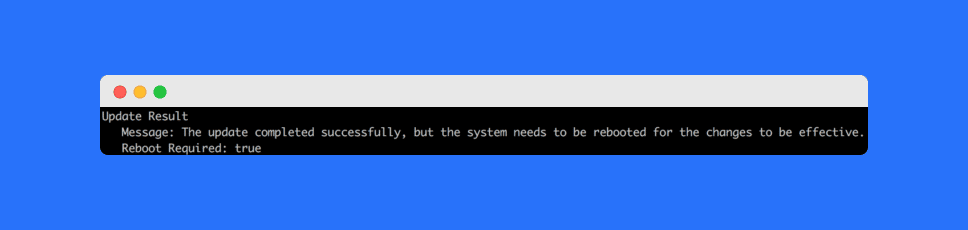
Fixing VIB Dependency Errors
Sometimes you may encounter VIB dependency errors during updates. Here’s how to resolve them:
Backup Host Configuration
vim-cmd hostsvc/firmware/sync_config
vim-cmd hostsvc/firmware/backup_config
Check Installed Drivers
esxcli network nic list
esxcli storage core adapter list
Remove Unused VIBs
esxcli software vib remove -n <Vib Name>This helps eliminate unnecessary packages that cause conflicts.
Frequently Asked Questions (FAQs)
The safest method is using the offline bundle ZIP file with the esxcli software profile update command after verifying compatibility.
No. For CLI-based updates, you must use the offline bundle ZIP file. ISO files only work for fresh installations.
You can fix it by removing unused VIBs, checking installed drivers, and backing up configurations before retrying the update.
Yes, always place the host in maintenance mode to avoid disruptions to running VMs.
Regular updates improve security, stability, and hardware compatibility, protecting your infrastructure from vulnerabilities.
Conclusion
Updating ESXi hosts via ESXCLI is straightforward if you follow the right steps—download the bundle, upload it to your datastore, run the update command, and fix any VIB issues.
👉 By keeping your ESXi hosts updated, you ensure better security, performance, and compatibility across your VMware environment.
Stay tuned for more practical VMware tutorials!