In the world of storage and networking, protocols play a key role in how systems communicate. Just like people need a common language to talk, computers and storage systems need a set of rules to exchange information effectively.
When it comes to Network-Attached Storage (NAS), these rules are called NAS protocols. They define how data is shared and accessed across a network. In this article, we’ll explore NAS protocols, SMB, and CIFS, and why they matter.
Table of Contents
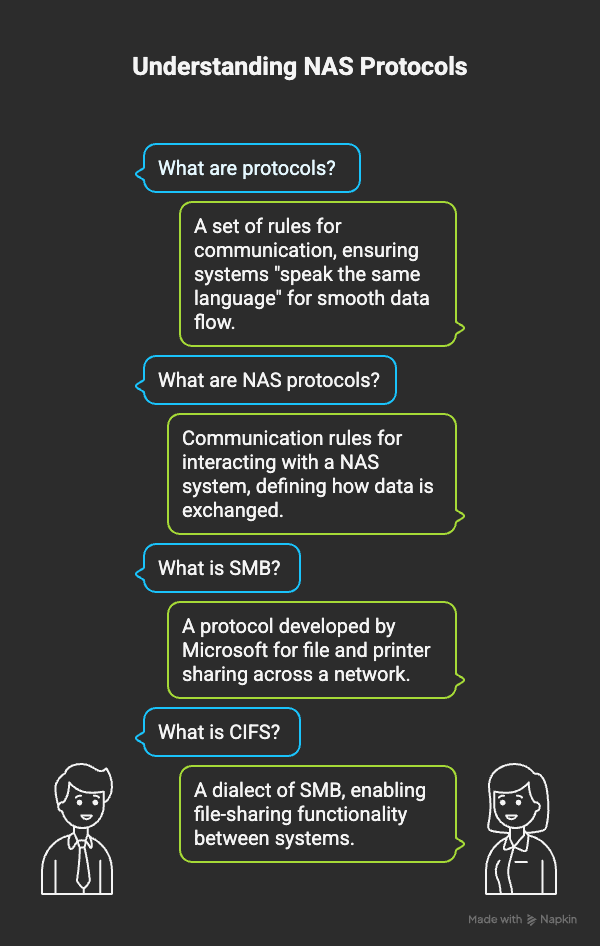
What Are Protocols?
A protocol is simply a set of rules for communication. For example, if two people are speaking in different languages, they can’t understand each other. Similarly, in IT, protocols ensure that both sides (systems or applications) “speak the same language” so data can flow smoothly.
What Are NAS Protocols?
NAS protocols are the communication rules used to interact with a NAS system.
Imagine you set up a shared folder in your NAS to store files. For people on the network to access and use this folder, they need a protocol that defines how the data is exchanged.
Common NAS protocols include:
- SMB (Server Message Block)
- CIFS (Common Internet File System)
What is SMB Protocols?
SMB (Server Message Block) is a protocol developed by Microsoft that allows file and printer sharing across a network.
With SMB, users can:
- Access shared files and folders
- Connect to shared printers
- Share other resources within a network
What is CIFS Protocols?
CIFS (Common Internet File System) is a dialect of SMB. It works in the same way as SMB, enabling file-sharing functionality between systems.
- SMB and CIFS are often used interchangeably.
- Both allow devices and clients to communicate seamlessly over the same protocol.
FAQs About NAS Protocols
They define how computers and storage systems communicate, making file sharing and resource access smooth.
CIFS is an implementation of SMB. They both serve the same purpose, but SMB has newer versions with better performance and security.
No. Without protocols, systems won’t know how to exchange data with the NAS.
For modern setups, use SMB 3.0 or higher, as it offers better speed, encryption, and reliability compared to older CIFS versions.
Conclusion
NAS protocols are like the languages of storage systems—they define how devices communicate and share files.
- SMB provides file and printer sharing across networks.
- CIFS is a form of SMB, mainly used in older systems.
In short: NAS protocols make file sharing possible, reliable, and efficient in modern IT environments.