
In day-to-day VMware administration, SSH is often required to connect to an ESXi host for troubleshooting and management tasks. However, many organizations disable SSH for security reasons.
When troubleshooting or performing maintenance, administrators may need to temporarily enable SSH. In this guide, we’ll cover different methods to enable or disable SSH on an ESXi host safely.
Table of Contents
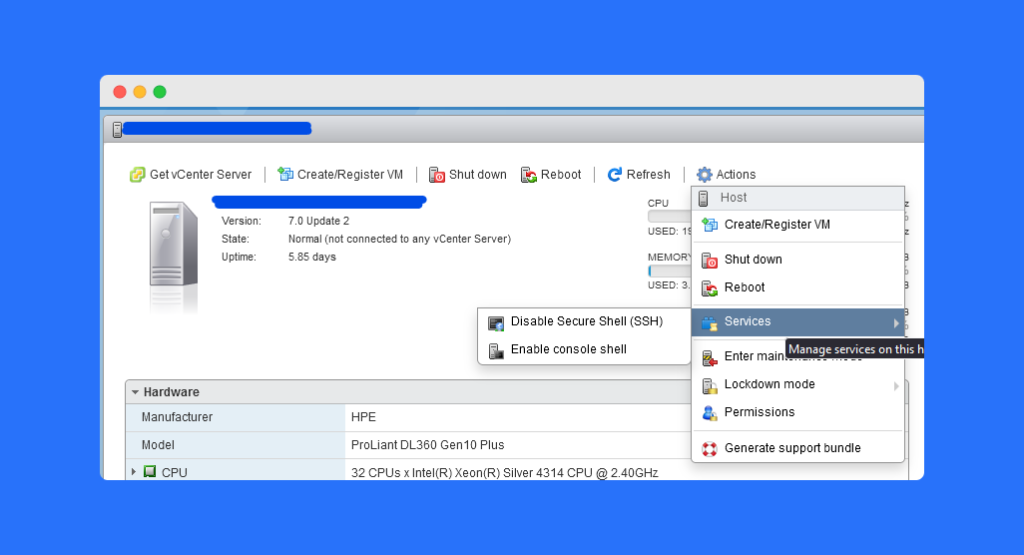
Method 1: Enable SSH on ESXi Host Using the Host Client
1.) Login to the host client
2.) Click on the action and select services There you will find the option to enable/disable ssh.
Method 2: Enable SSH on ESXi Host Using DCUI
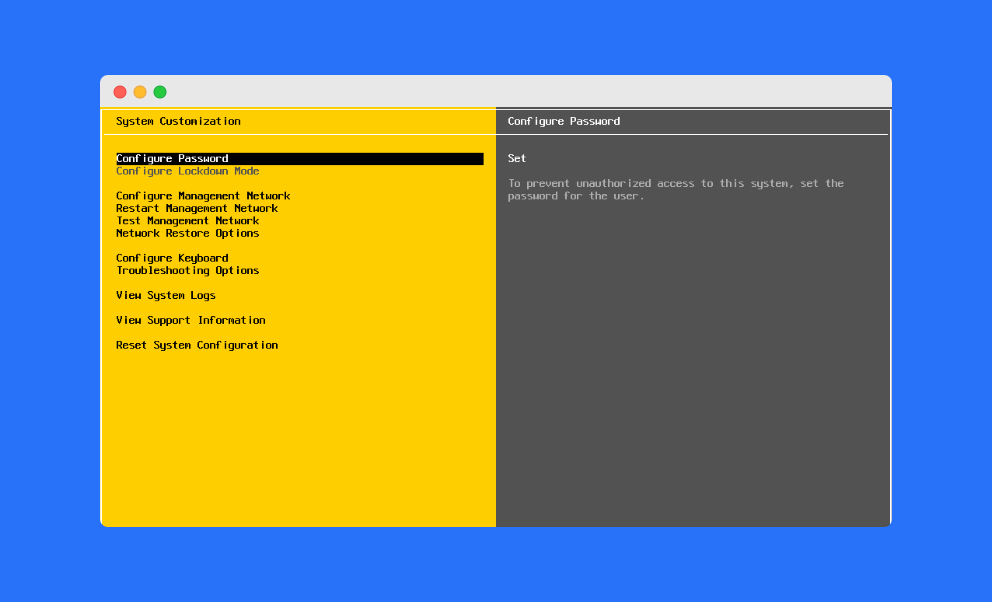
1.) Login to the DCUI using the iLO/iDRAC
2.) Hit Alt+F2 and enter the root credentials
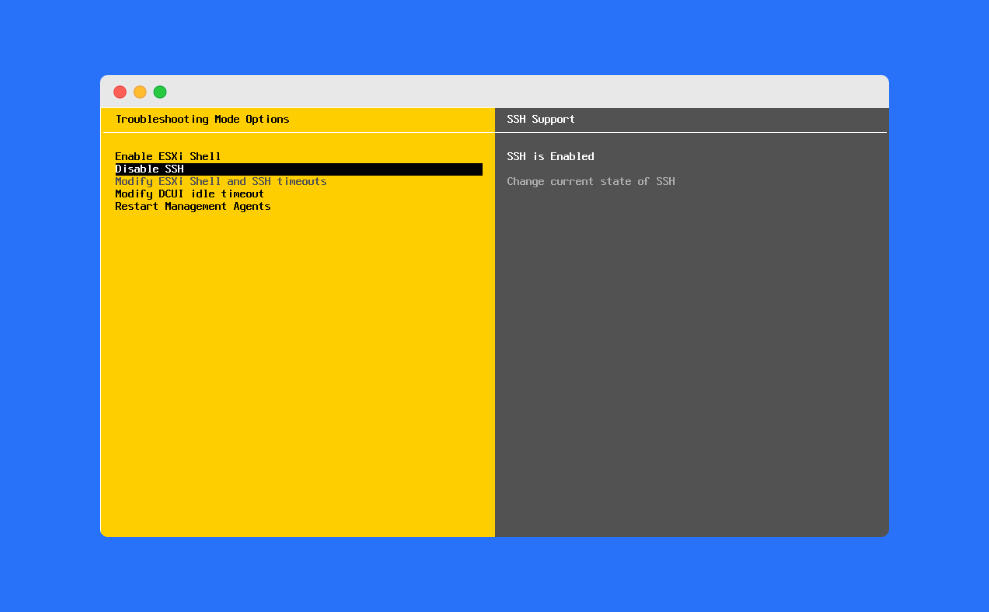
3.) Select the troubleshooting option
4.) There you will find one option to enable and disable ssh.
Best Practices for Using SSH on ESXi Hosts
While enabling SSH can be helpful, it’s important to follow best practices:
- 🔒 Only enable SSH when troubleshooting.
- ⏳ Disable SSH once tasks are complete.
- 🛡 Use firewall rules or restrict access by IP for better security.
- 📜 Monitor SSH logs to track unauthorized login attempts.
By following these steps, you keep your ESXi environment both functional and secure.
Frequently Asked Questions (FAQs)
You should enable SSH on an ESXi host when you need direct access for troubleshooting, configuration, or advanced management tasks.
Simply log in to the Host Client, go to Actions > Services, and enable SSH.
Yes. SSH can be enabled locally using the DCUI without requiring internet connectivity.
No. For security, SSH should be enabled only when needed and disabled afterward.
If blocked by policy, you may need to request access through your system administrator or use alternative VMware management tools.
Conclusion
Enabling SSH on an ESXi host is sometimes necessary for troubleshooting and administration. You can do this either through the Host Client or the DCUI, depending on your access method.
👉 Always remember to disable SSH once your tasks are done to maintain a secure environment.