Securing your host is so important. For that, the best practice is to change the default password. This article will discuss various ways to change your ESXi root password.
Table of Contents
Why You Should Change the ESXi Root Password
Securing your VMware ESXi host is critical to protecting your virtual infrastructure. One of the best practices is to change the ESXi root password from its default value. Doing so helps prevent unauthorized access and strengthens the overall security posture of your environment.
In this guide, we’ll cover two simple methods to change the root password: via SSH and the ESXi Host Client.
Method 1: Change ESXi Root Password Using SSH
If SSH access is enabled on your host, you can quickly update the root password with a few commands.
Steps:
- Log in to the ESXi host using SSH.
- Switch to root privileges:
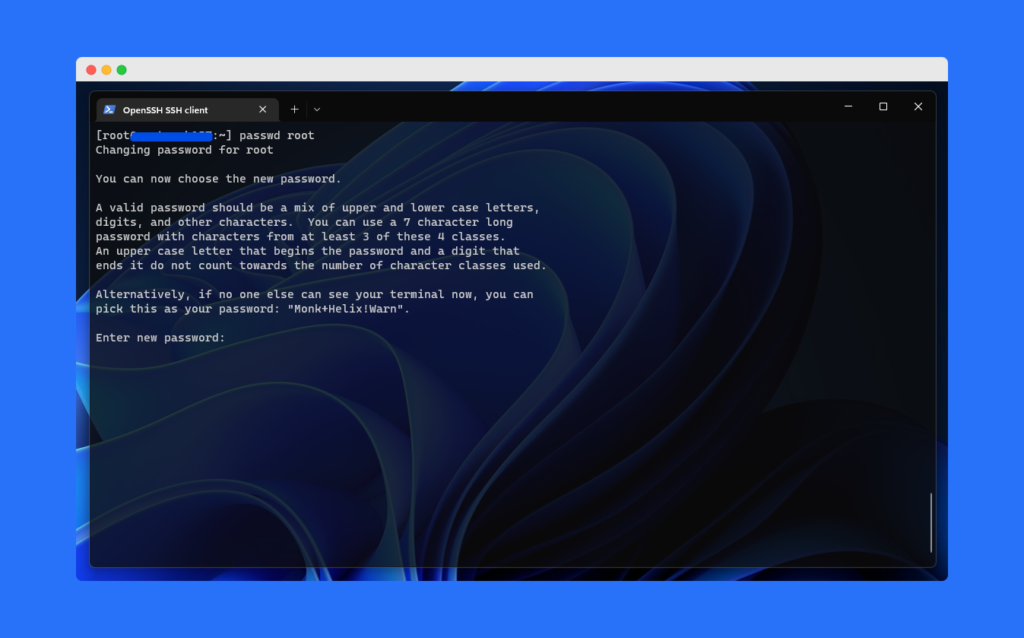
su - - Run the following command to change the root password:
passwd root - Enter your new password twice for confirmation.
You’ve successfully changed the ESXi root password using SSH.
Method 2: Change ESXi Root Password Using Host Client
If you prefer a graphical interface, the ESXi Host Client provides a straightforward way to update the root password.
Steps:
- Log in to the ESXi Host Client.
- On the top menu, click your username@ESXI_IP.
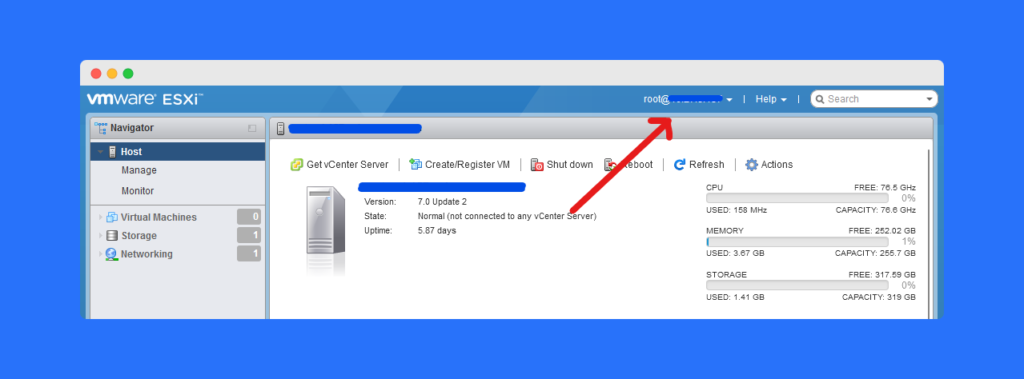
- Select the option to Change Password.
- Enter your new password twice and confirm the changes.
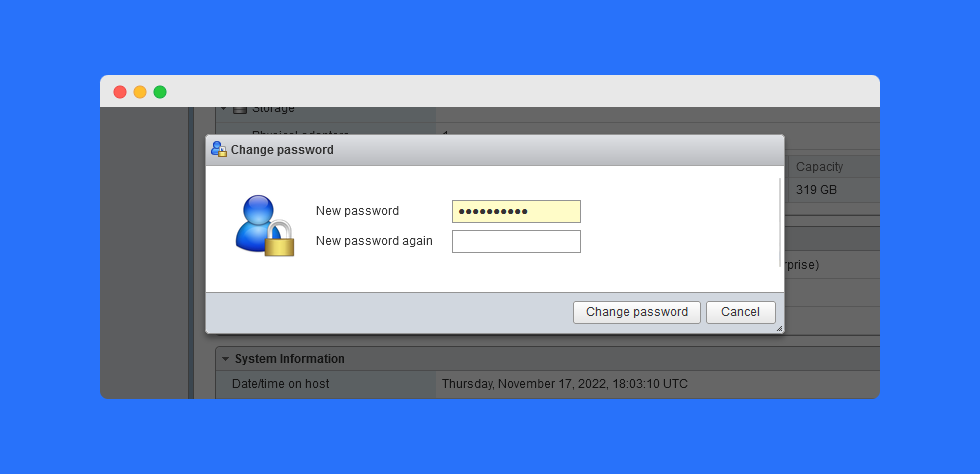
Your ESXi root password is now updated through the Host Client.
Best Practices for Managing ESXi Passwords
- 🔑 Use strong, complex passwords with a mix of characters.
- ⏳ Rotate passwords regularly to reduce security risks.
- 🛡 Store credentials securely in a password manager.
- 👥 Limit root access and use role-based accounts where possible.
Frequently Asked Questions (FAQs)
You should change root password to prevent unauthorized access and strengthen host security.
Yes, you can update it directly through the ESXi Host Client.
You may need to reset it using vSphere tools or by following VMware’s official recovery procedure.
Best practice suggests updating it every 60–90 days or whenever staff roles change.
Yes, ESXi allows administrators to set password complexity and expiration policies for better security.
Conclusion
Changing the ESXi root password is a simple yet effective step to enhance security. Whether you use SSH or the Host Client, both methods ensure your host remains protected against unauthorized access.
👉 Take a few minutes today to update your ESXi root password and keep your VMware environment secure.